practice
CALORIE TRACKER APP
frontend
This project is a simple web application built with React.js that allows users to track their calorie intake and expenditure throughout the day.
2026 - FULL-STACK DEVELOPER
⊹This project is a simple web application built with React.js that allows users to track their calorie intake and expenditure throughout the day.
PORTFOLIO WEB
⊹origin
https://calorie-tracker.4hmartin.com/
section
Home
category
practice
development type
frontend
PORTFOLIO WEB
⊹This project is a simple web application built with React.js that allows users to track their calorie intake and expenditure throughout the day.
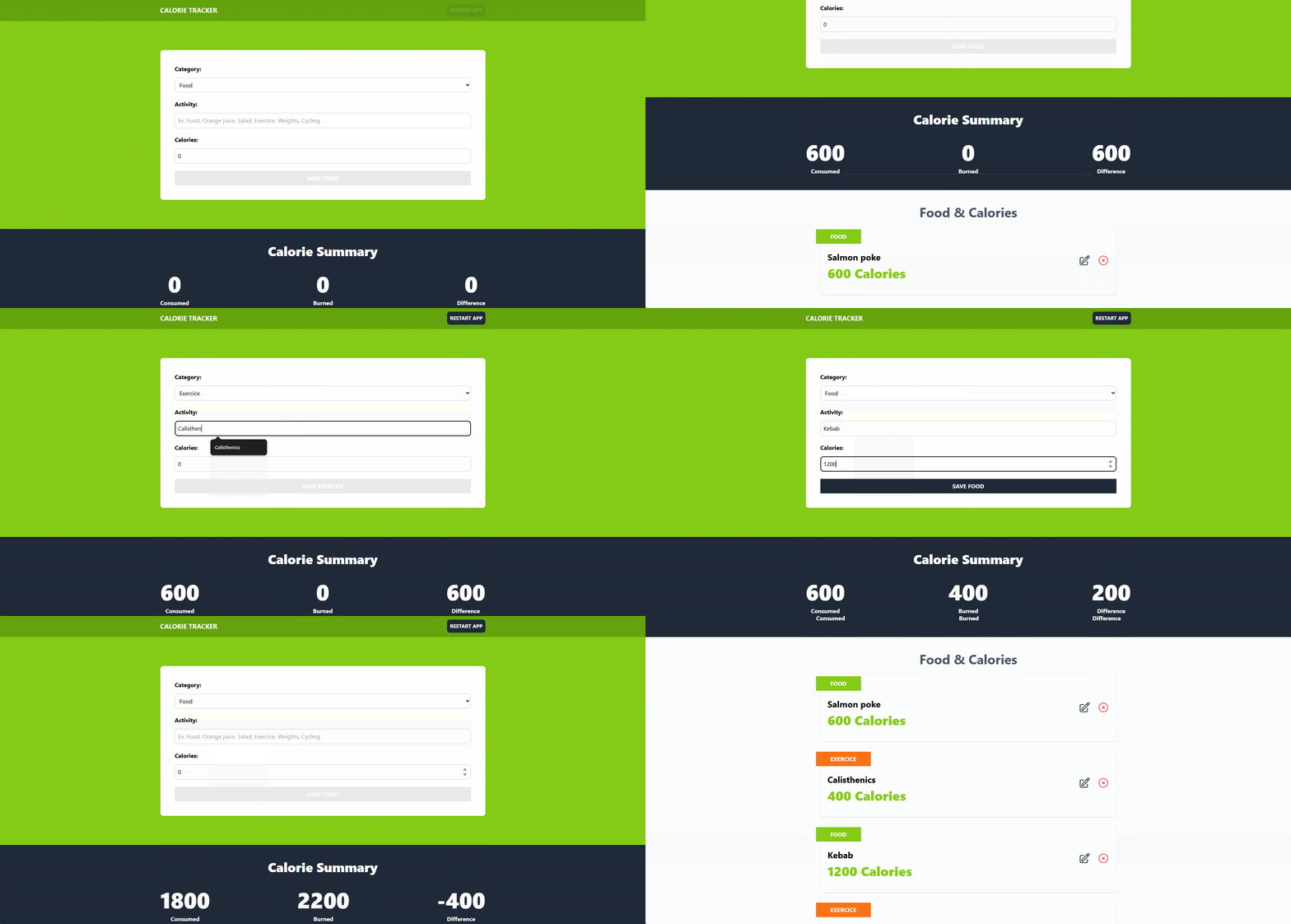
Through a main form, users can register different activities, whether they are meals or exercises, and view a summary of their calorie balance.
Category: Dropdown to select between Meal or Exercise.
Activity: Text field to describe the specific meal or exercise.
Calories: Numeric field to enter the corresponding calories (positive or negative depending on the category).
Calories Consumed: Total calories ingested through meals.
Calories Burned: Total calories burned through exercises.
Difference: Balance between calories consumed and burned, allowing users to see if there is a calorie deficit.
Each activity is displayed as a card with its information.
Activities can be edited, loading the information into the form for modification.
Activities can be deleted.
The calorie summary updates automatically after changes, thanks to efficient state management.
Data persistence using Local Storage, ensuring information is not lost when the page is reloaded.
uuid: Generate unique identifiers. npm i uuid npm i --save-dev @types/uuid import { v4 as uuidv4 } from 'uuid'
heroicons: Icons from hero icons. npm i @heroicons/react
Since this project does not implement global state management, the reducer is imported into App.tsx and passed down to child components via props. The useReducer hook initializes and provides the state and dispatch functions.
Example:
The logic for saving a new activity from the form is handled inside the reducer, specifically in the save-activity action.
1export type ActivityActions =
2  | { type: 'save-activity', payload: { newActivity: Activity } }   // Create or update an activity
3  | { type: 'set-activeId', payload: { id: Activity['id'] } }      // Set active activity for editing
4  | { type: 'delete-activity', payload: { id: Activity['id'] } }   // Delete an activity
5 | { type: 'restart-app' } // Reset the appuseMemo is a performance optimization hook that memoizes the result of an expensive calculation. The memoized value is recomputed only when one of its dependencies changes.
In this project, useMemo is used to efficiently calculate calorie-related statistics based on the list of activities.
Example:
1// Total calories consumed (meals)
2const caloriesConsumed = useMemo(() =>
3  activities.reduce((total, activity) =>
4    activity.category === 1 ? total + activity.calories : total, 0),
5  [activities]
6);
7
8// Total calories burned (exercises)
9const caloriesBurned = useMemo(() =>
10  activities.reduce((total, activity) =>
11    activity.category === 2 ? total + activity.calories : total, 0),
12  [activities]
13);
14
15// Net calorie difference
16const netCalories = useMemo(() =>
17  caloriesConsumed - caloriesBurned,
18  [activities]
19);


